VOLUNTEER RESOURCES
Reporting Your Results
Your trapping data helps us track progress and protect our native wildlife. We use Google spreadsheets to record trapping results, with links included in every newsletter. As this website is public, the spreadsheets are not linked here.
Interior Lines
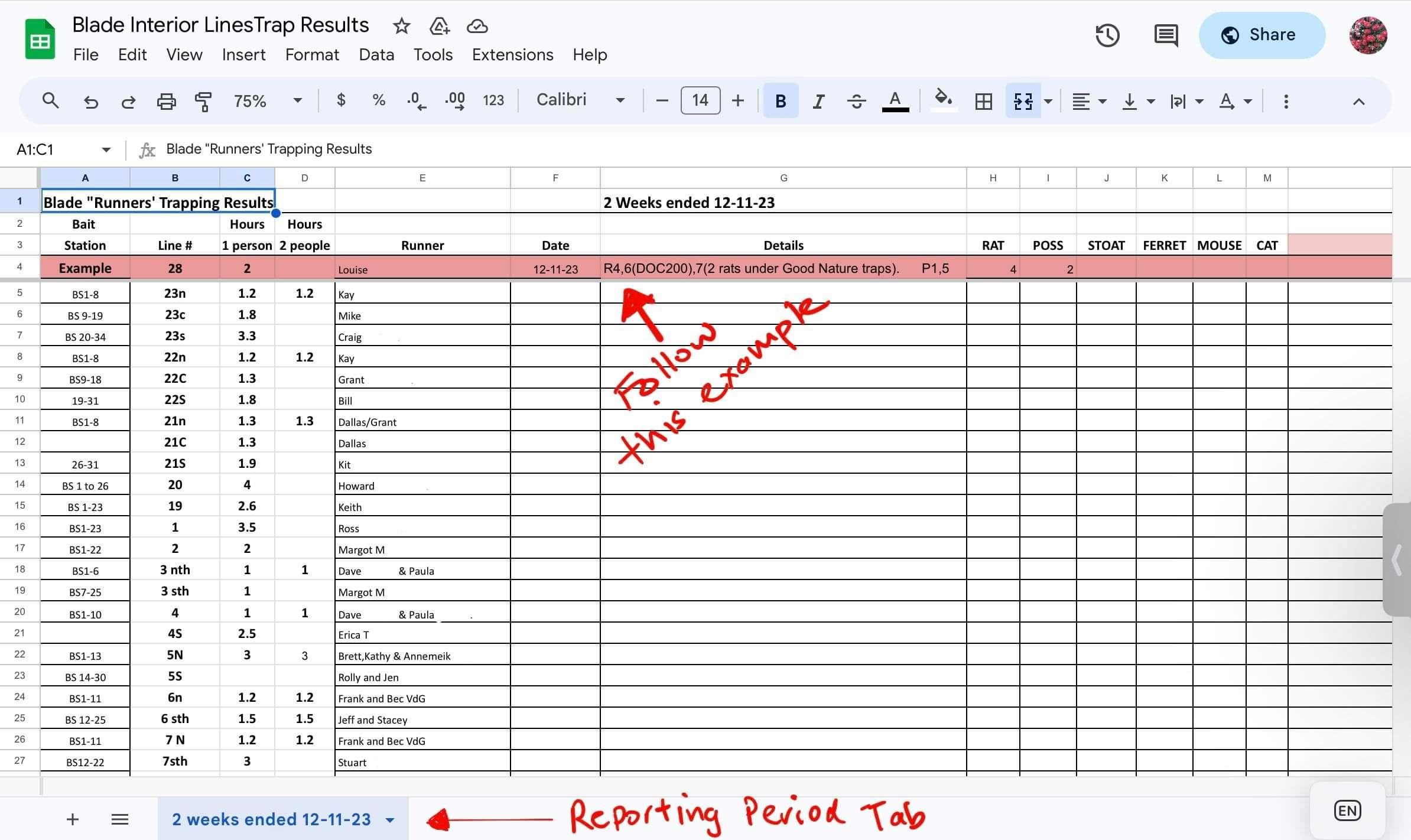
A pink example row appears at the top of every results sheet to show you how to enter your data.
The image below is for illustration only.
A few key points
Trap Details
In the ‘Details’ field, note any rats caught in traps other than Victors, e.g. R4,6 (DOC200), 7 (2 rats under Good Nature traps). Also note any other pests caught in the ‘wrong’ type of trap.
Checking someone else's line
Change the name in the ‘Runner’ column to your own when entering the results. Click the cell containing their name and replace it with yours.
Recording hours
If you need to amend your hours or add another volunteer’s hours, update column C for your own hours and column D for anyone extra.
AT220 Auto Traps
There are two spreadsheets for volunteers checking the AT220s:
1. AT220 Results
Use this spreadsheet to record your kills. It’s laid out to make data crunching easier and should be straightforward to use. If you have any questions, please email us.
UPDATE FEB 2026
AutoTraps can be triggered by wētā, moths and other insects, which can overstate AT220 rat kill numbers.
For any trap showing 20 or more kills:
Enter the kill number shown by the trap, then add a note in the ‘Comment’ column stating either that the number seems correct, based on rat remains and/or nearby trap results, or that it is likely lower, based on few remains and lower kills nearby. If possible, include your estimate of the likely kill total based on the remains. For example: “43 too high based on remains and nearby traps. More likely 10.”
RECORDING HOURS
Enter the hours spent checking the ATs alongside your kill results. You only need to make one hours entry for each block of ATs you check.
2. AT220 Date Check Record
We are trialling this additional step to make it easier to see which AT220s need checking and which have been checked recently. Use the tabs along the bottom of the spreadsheet to view the different groups of AT220s and make the sheet easier to use.
Need a hand in the field?
Check our trapping tips or see what’s coming up.
Any questions, email us at contact@friendsoftheblade.org.nz

Whakamārama Forest Project is an all-volunteer predator control group helping protect native bush and wildlife in the Kaimai Mamaku.

